The AI Search browser hijacker is a potentially unwanted program that interferes with normal browsing by modifying key browser settings without clear approval. Once active, it takes control of the homepage, default search engine, and new tab behavior, forcing users to interact with a specific search page instead of their preferred one. In this case, the hijacker promotes aisearchapp.net, which becomes the central point through which all search activity is routed.
At first glance, the promoted page may seem like a standard search engine. However, it does not function independently. The AI Search browser hijacker uses aisearchapp.net as an intermediary, meaning that any search query entered by the user is first sent through this domain before being redirected elsewhere. This setup allows the operators to influence search results, insert sponsored links, and potentially expose users to unreliable or misleading websites. Because of this, the browsing experience becomes less predictable and less trustworthy.
The AI Search browser hijacker is not limited to simple redirection. It often maintains control by preventing users from easily restoring their original browser settings. Even if changes are made manually, they may be reversed automatically, which can create the impression that the browser is malfunctioning. This persistence is usually achieved through installed extensions or background components that continuously enforce the unwanted configuration.
Another aspect to consider is data collection. The AI Search browser hijacker may gather information related to browsing habits, including search queries, visited pages, approximate location, and technical details about the device. While this data is often described in vague terms as being used for “service improvement,” it can also be utilized for targeted advertising or shared with third parties. Since users are not clearly informed about this process, it raises legitimate privacy concerns.
Over time, users affected by the AI Search browser hijacker may notice additional issues. Increased advertising, slower browser performance, and occasional redirects to unfamiliar websites are all common signs. These disruptions are not always immediately connected to the presence of the hijacker, which can delay proper identification and removal. Despite appearing relatively minor at first, the combination of persistent changes, data tracking, and exposure to questionable content makes this type of software undesirable.
How the AI Search browser hijacker gets installed
The AI Search browser hijacker is typically introduced through indirect methods rather than deliberate installation. One of the most common distribution techniques is software bundling. This occurs when additional components are included within the installer of a legitimate program, often without being clearly highlighted. Users who proceed with installation using default or “quick” settings may unknowingly allow the hijacker to be installed alongside the intended software.
Another frequent method involves deceptive download pages. Some websites promote free tools, updates, or utilities, but the files they provide contain extra components such as the AI Search browser hijacker. These pages may use convincing design elements to appear trustworthy, increasing the likelihood that users will download and execute the installer without suspicion. Once installed, the hijacker immediately begins modifying browser settings to promote aisearchapp.net.
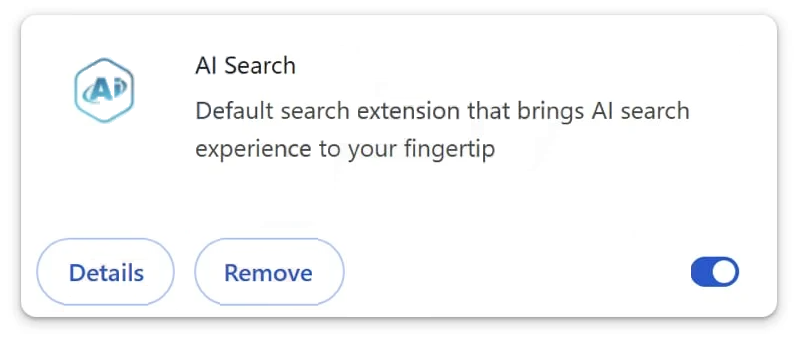
Browser extensions are also a key part of how this hijacker spreads. The AI Search browser hijacker may be presented as an extension offering useful features, such as enhanced search capabilities or quick access tools. In reality, its primary function is to take control of the browser and enforce redirects. By requesting broad permissions during installation, the extension gains the ability to change settings and monitor browsing activity.
In many cases, information about these additional components is hidden within installation steps. Details may be placed in small print, included in lengthy terms, or described in unclear language. This makes it easy for users to overlook what they are agreeing to. As a result, the hijacker is installed without the user fully understanding what has been added to their system.
To reduce the risk of installing the AI Search browser hijacker, it is important to approach downloads and installations with caution. Choosing advanced or custom installation options allows users to review all included components and deselect anything unnecessary. Avoiding unofficial or unfamiliar download sources can also significantly lower the chances of encountering bundled software.
Being attentive during installation and questioning unexpected additions is key to prevention. The AI Search browser hijacker relies on unnoticed permissions and overlooked details rather than direct intrusion. By maintaining control over what is installed and how it is installed, users can avoid unwanted changes and keep their browsing environment secure.
Remove AI Search browser hijacker
It’s recommended to use an anti-virus program to remove AI Search browser hijacker because these types of infections can be persistent and difficult to get rid of manually. A browser’s settings can be changed as soon as the hijacker is no longer present.
Incoming search terms:
Site Disclaimer
2-remove-virus.com is not sponsored, owned, affiliated, or linked to malware developers or distributors that are referenced in this article. The article does not promote or endorse any type of malware. We aim at providing useful information that will help computer users to detect and eliminate the unwanted malicious programs from their computers. This can be done manually by following the instructions presented in the article or automatically by implementing the suggested anti-malware tools.
The article is only meant to be used for educational purposes. If you follow the instructions given in the article, you agree to be contracted by the disclaimer. We do not guarantee that the artcile will present you with a solution that removes the malign threats completely. Malware changes constantly, which is why, in some cases, it may be difficult to clean the computer fully by using only the manual removal instructions.