The “Maintenance to improve server performance” email scam is a phishing email that pretends to be a technical notice about email service maintenance. It claims that work is being carried out to improve server performance and that the recipient must take action to avoid problems with their email account. The message is not a legitimate notice from an email provider or an IT department. It is written to trick recipients into handing over login details.
The email usually presents the situation as urgent. It may claim the email service is being upgraded, that the mailbox requires confirmation, or that new settings must be applied to keep the account active. Some versions warn that failure to complete the process will result in restricted access, interrupted service, or account suspension. These threats are used to push fast reactions and reduce the chance that the recipient checks whether the request makes sense.
A link or button is included to make the scam easy to follow. It may be labeled as an update, verification, or maintenance step. Clicking it leads to a fake sign-in page that is designed to look like a real email login screen. The page typically asks for the email address and password. Any credentials entered are sent to the scammers, not to a real provider.
Some versions of this scam request additional information after the first login attempt. The page may ask for recovery email details, phone numbers, or other account-related data. This information can help scammers keep access to the account or reset passwords later. In more aggressive versions, the page may request payment details, claiming that a fee is required to complete the maintenance process. That request is also fraudulent.
The main risk comes from account takeover. If scammers obtain valid email credentials, they can sign in to the account, read private emails, and search for messages that contain sensitive data. They can also use the mailbox to reset passwords for other services connected to that email address. Email accounts are often tied to banking, shopping, cloud storage, and workplace systems, so one successful login can lead to wider access.
The scam also creates secondary risks through further phishing. Once scammers control an email account, they can send new phishing emails from a trusted address. Contacts are more likely to believe messages that come from someone they know, which increases the chance of additional victims.
The “Maintenance to improve server performance” email scam relies on technical wording to sound believable. It uses the idea of server maintenance because it is a familiar concept, especially in workplaces. The email does not reflect real maintenance activity, and it does not confirm that any changes are actually required for the recipient’s account. It is simply a story designed to lead to a credential theft page.
Legitimate maintenance notices do not require users to enter passwords on a page reached through an unexpected email link. Real providers and IT teams communicate through official channels, and they do not ask for login credentials as part of a routine maintenance announcement.
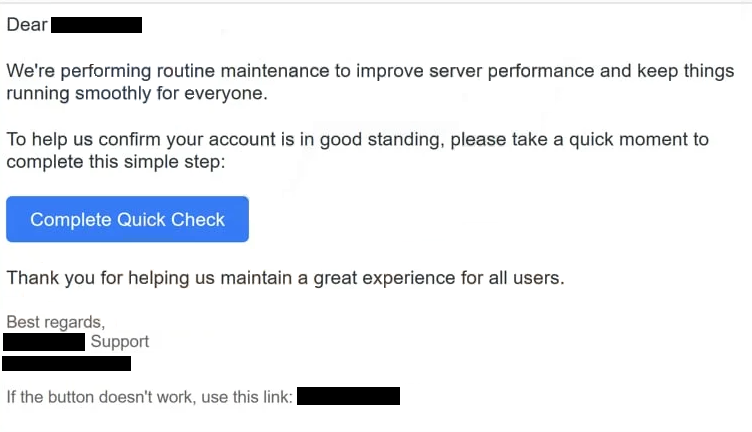
The full “Maintenance To Improve Server Performance” phishing email is below:
Subject: Confirm you’re not a robot
Dear -,
We’re performing routine maintenance to improve server performance and keep things running smoothly for everyone.
To help us confirm your account is in good standing, please take a quick moment to complete this simple step:
Complete Quick Check
Thank you for helping us maintain a great experience for all users.
Best regards,
– Support
–If the button doesn’t work, use this link: –
How to recognize phishing emails
The “Maintenance to improve server performance” email scam is typically distributed through bulk spam campaigns. The same email template is sent to large lists of addresses, often without knowing which email provider the recipient uses. Because the message stays generic, it can be used against many different targets without customization.
One of the first warning signs is the sender’s address. The display name may look official, but the real sending address often comes from a domain that does not match the company or service being referenced. Some emails also use mismatched reply-to addresses, which can be another sign that the sender is not legitimate.
The content of the email is usually vague. It may mention server performance, upgrades, or security improvements, but it does not provide account-specific details that a real provider would include. A legitimate notice often references a known service name, support documentation, or a normal sign-in method through the official website or app. Scam emails tend to rely on general statements and pressure instead.
Urgency is another common feature. The email may claim that the action must be completed within a short time or the account will be restricted. This is designed to stop recipients from taking a moment to verify the request. A genuine provider does not depend on a single email link to prevent account loss.
The link itself is one of the most reliable indicators. If the link leads to an unfamiliar domain or a domain that does not belong to the email provider, the page should not be trusted. A fake sign-in page can look convincing, but the domain name often gives it away. A login page that is not hosted on the official domain is not a safe place to enter credentials.
The fake page may also ask for information that is not needed for maintenance. Requests for passwords, recovery details, or payment information are not part of normal server performance work. Those requests exist because the goal is theft, not account support.
The “Maintenance to improve server performance” email scam is built to look routine while pushing the recipient into a rushed decision. Checking the sender details, reading the message carefully, and treating unexpected login links as suspicious helps reduce the risk of handing credentials to scammers.
Site Disclaimer
2-remove-virus.com is not sponsored, owned, affiliated, or linked to malware developers or distributors that are referenced in this article. The article does not promote or endorse any type of malware. We aim at providing useful information that will help computer users to detect and eliminate the unwanted malicious programs from their computers. This can be done manually by following the instructions presented in the article or automatically by implementing the suggested anti-malware tools.
The article is only meant to be used for educational purposes. If you follow the instructions given in the article, you agree to be contracted by the disclaimer. We do not guarantee that the artcile will present you with a solution that removes the malign threats completely. Malware changes constantly, which is why, in some cases, it may be difficult to clean the computer fully by using only the manual removal instructions.