The “Password reset requested” phishing email is a credential-stealing scam disguised as a password reset notification from an email service provider. It attempts to convince recipients that a password change has been requested for their account and that they need to complete the process to avoid problems receiving emails.
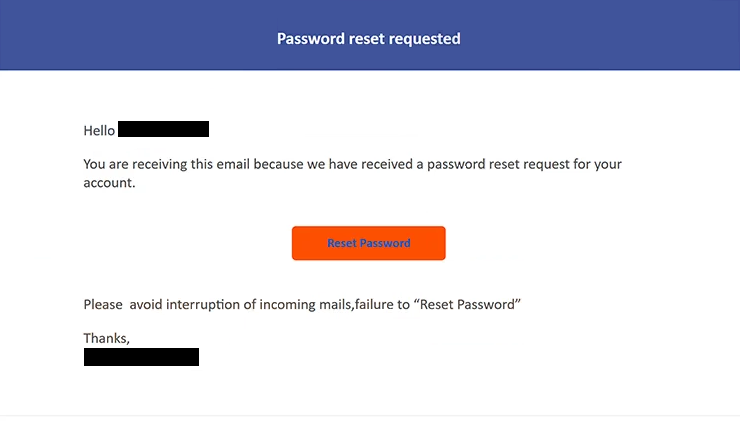
The subject says “Reset your password” followed by information identifying the recipient. Inside, the email states that a password reset request has been received for the account. Recipients are then presented with a “Reset Password” button.
The email also warns that failing to reset the password could interrupt incoming mail. This claim creates urgency and gives recipients a reason to select the button even if they do not remember requesting a password change.
There is no legitimate password reset process behind the email. Selecting “Reset Password” opens a phishing website hosted on Backblaze B2 cloud storage. Backblaze B2 itself is a legitimate service, but in this campaign it is being misused to host phishing content.
The fraudulent page combines elements from different email services. It displays a Roundcube Webmail login screen with a Google-branded login popup placed over it. The purpose is to persuade visitors to provide their email account credentials.
Information entered into the login fields is sent to the scammers. Providing credentials does not reset the password or prevent incoming mail from being interrupted.
Access to an email account can expose private correspondence and other sensitive information. A compromised inbox may also be useful for resetting passwords on other accounts associated with the same email address or for impersonating the account owner in emails sent to contacts.
Neither Backblaze nor the email services whose branding appears on the phishing page are responsible for this campaign. Their services and visual elements are simply being misused as part of the deception.
Anyone who entered a password on the fake login page should change it immediately. The password should also be replaced on any other accounts where it has been reused.
The full “Password reset requested” phishing email is below:
Subject: Reset your password –
Password reset requested
Hello -,
You are receiving this email because we have received a password reset request for your account.
[Reset Password]Please avoid interruption of incoming mails,failure to “Reset Password”
Thanks,
–
How to recognize phishing emails
The “Password reset requested” phishing email can initially appear believable because genuine online services do send notifications when password resets are requested. However, several details in this particular email indicate that the notification should not be trusted.
The first question recipients should consider is whether they actually requested a password reset. An unexpected reset notification should be treated cautiously, especially when it pressures the recipient to complete the process through a button inside the email.
The warning about incoming mail is another important sign. The email claims that failing to select “Reset Password” will result in an interruption of incoming emails. This threat is used to pressure recipients into acting quickly rather than independently checking their account.
The destination of the “Reset Password” button provides stronger evidence of the scam. Instead of taking recipients to the website of their actual email provider, it leads to content hosted through Backblaze B2. A legitimate cloud-hosting platform does not make content hosted on it automatically trustworthy.
The phishing page itself is also inconsistent. It combines a Roundcube Webmail interface with a Google-branded login popup. Mixing branding from different services in a single password-reset process is a significant reason to question the page.
Recipients should also examine the domain shown in the browser before entering credentials. A familiar logo, login form, or company name can easily be copied onto a fraudulent website, while the actual web address can reveal that the page is not operated by the expected email provider.
A password reset can be checked safely without using the email’s button. Users can open their email provider’s official website or application independently and review their account and security settings there.
Incoming search terms:
Site Disclaimer
2-remove-virus.com is not sponsored, owned, affiliated, or linked to malware developers or distributors that are referenced in this article. The article does not promote or endorse any type of malware. We aim at providing useful information that will help computer users to detect and eliminate the unwanted malicious programs from their computers. This can be done manually by following the instructions presented in the article or automatically by implementing the suggested anti-malware tools.
The article is only meant to be used for educational purposes. If you follow the instructions given in the article, you agree to be contracted by the disclaimer. We do not guarantee that the artcile will present you with a solution that removes the malign threats completely. Malware changes constantly, which is why, in some cases, it may be difficult to clean the computer fully by using only the manual removal instructions.