The “Untrusted Device Was Added To Your Account” phishing email is a fake security notification created to steal email account credentials. It attempts to make recipients believe that an unfamiliar device has recently been connected to their account and encourages them to investigate the activity through a provided button.
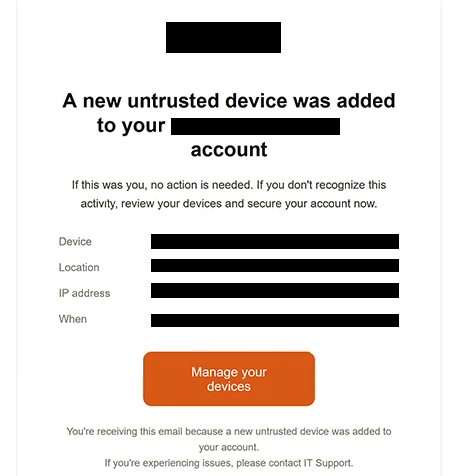
The subject says “Security Alert: A new untrusted device added to your Email account.” Rather than relying only on a vague warning, the email provides several details about the supposed login. These include a device identified as Electron on Windows, a location in Virginia Beach, an IP address, and a specific date and time.
Recipients are told that no action is necessary if they recognize the activity. Those who do not recognize the device are instructed to review their devices and secure the account. The email provides a “Manage your devices” button for this purpose.
The security alert is fake. Clicking the button takes the user to a phishing website rather than a legitimate account-management page.
An important part of this campaign is how the phishing site adapts to the recipient. The email address is encoded in the URL, and the site uses it to determine which email provider the person uses. It can then present a login form designed to resemble that particular service.
In the analyzed example, the phishing page displayed a fake Gmail login overlay. It requested an email address and password, but users of other email providers may encounter a different imitation based on their address.
Credentials submitted through the fake form are sent to the scammers. They are not used to review connected devices or secure the account.
A stolen email password can give attackers access to information stored in the inbox and may expose other accounts that use the compromised address for password recovery. Scammers could also use the mailbox to impersonate its owner or attempt to prevent the legitimate user from accessing it.
The email is not a genuine security notification from Google, Gmail, or another email provider. Anyone who entered credentials on the phishing page should change the affected password promptly, review active sessions and connected devices, and replace the same password on any other accounts where it was reused.
The full “Untrusted Device Was Added To Your Account” phishing email is below:
Subject: Security Alert: A new untrusted device added to your Email account
–
A new untrusted device was added to your – account
If this was you, no action is needed. If you don’t recognize this activity, review your devices and secure your account now.Device: –
Location: –
IP address: –
When: –[Manage your devices]
You’re receiving this email because a new untrusted device was added to your account.
If you’re experiencing issues, please contact IT Support.
How to recognize this phishing email
The “Untrusted Device Was Added To Your Account” phishing email is designed to resemble the type of security notification users may genuinely receive after unusual account activity. This makes the context of the warning particularly important.
One technique used to add credibility is the inclusion of detailed information about the alleged device. The email does not simply say that an unknown login occurred. It provides a device type, Virginia Beach location, IP address, and timestamp. These details can look like evidence taken from an actual security log, but their presence does not establish that the activity occurred.
The “Manage your devices” button is another critical part of the deception. A recipient concerned about an unknown device may reasonably want to review recent account activity, but the button sends them to a third-party phishing site rather than their email provider’s legitimate security settings.
The page reached afterward can be especially deceptive because it changes according to the recipient’s email provider. A Gmail user, for example, may see a Gmail-style login prompt. This personalization can make the phishing attempt appear more relevant than a generic fake login page.
Recipients should therefore pay attention to the actual domain rather than relying on familiar logos or a login form that appears to match their email provider. A page that visually resembles the expected service can still be controlled by scammers.
The sequence of events is also revealing. The email claims that the user needs to inspect an unfamiliar device, yet following its instructions ultimately results in a request for email login credentials on an unrelated website. Account security settings should be accessed directly through the provider’s official website or application instead.
Site Disclaimer
2-remove-virus.com is not sponsored, owned, affiliated, or linked to malware developers or distributors that are referenced in this article. The article does not promote or endorse any type of malware. We aim at providing useful information that will help computer users to detect and eliminate the unwanted malicious programs from their computers. This can be done manually by following the instructions presented in the article or automatically by implementing the suggested anti-malware tools.
The article is only meant to be used for educational purposes. If you follow the instructions given in the article, you agree to be contracted by the disclaimer. We do not guarantee that the artcile will present you with a solution that removes the malign threats completely. Malware changes constantly, which is why, in some cases, it may be difficult to clean the computer fully by using only the manual removal instructions.