The “Webmail IMAP Authentication Process Issue” email scam is a phishing email that claims the recipient’s webmail access is at risk due to an authentication error. The email states that the IMAP authentication process encountered an issue and that the user must confirm their credentials or update account settings to maintain access. Although the email appears structured and urgent, it is not sent by any legitimate webmail provider. Its purpose is to direct recipients to a phishing website where attackers attempt to collect login credentials and other sensitive data.
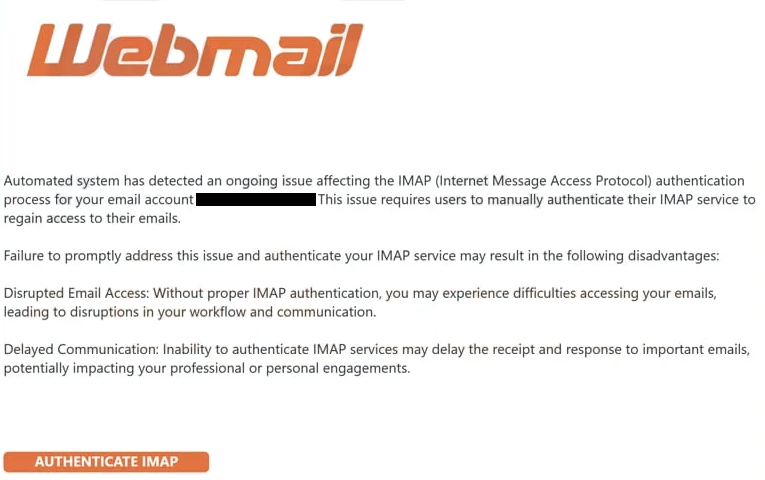
The scam email refers to an error in the IMAP authentication process. IMAP stands for Internet Message Access Protocol, a standard technology used by email clients to retrieve messages from a mail server. The email claims that this process has failed or needs verification to prevent disruption. Recipients are told that without immediate action, their ability to send or receive email may be affected. This language is designed to create concern and prompt quick action, but it does not reflect any real technical issue.
The “Webmail IMAP Authentication Process Issue” email contains an “Authenticate IMAP” button that directs the recipient to a web page described as a verification or update form. Although it may appear to lead to a legitimate login page, the link actually opens a website controlled by the attacker. The website is styled to resemble a webmail login interface, using visual elements that mimic those found on recognised login pages. Despite these similarities, the website is not connected to the user’s real webmail service.
Once a user enters their login credentials on the phishing web page, those details are sent to attackers. With access to the compromised email account, attackers may view stored messages, contact lists and associated personal information. Email accounts often include a range of sensitive data, including financial correspondence, account recovery messages and private communications. Attackers may also attempt to reuse the captured credentials to access other online accounts linked to the same email address.
The “Webmail IMAP Authentication Process Issue” email emphasises urgency. The email may include warnings that the authentication session will expire soon or that the account may be locked if the user does not respond quickly. Urgency is a common tactic in phishing attacks because it increases the likelihood that the recipient will act without verifying the authenticity of the email. Users who believe their access to email is in jeopardy may be more willing to click links and enter personal information.
The “Webmail IMAP Authentication Process Issue” email also does not explain the technical context it mentions. Real providers do not send unsolicited emails informing users that an email protocol like IMAP has failed without clear documentation and specific references. Email providers typically handle authentication errors internally and communicate only through official support channels if user action is required.
Users who clicked the link and entered their credentials on the phishing site should immediately change their email password. They should also update passwords on other accounts that use the same credentials and review recent account activity for signs of unauthorised access. Individuals who received the email but did not interact with it face no direct risk and may delete it.
The full “Webmail – IMAP Authentication Process Issue” email is below:
Subject: Update Internet Message Access Protocol
Automated system has detected an ongoing issue affecting the IMAP (Internet Message Access Protocol) authentication process for your email account -. This issue requires users to manually authenticate their IMAP service to regain access to their emails.
Failure to promptly address this issue and authenticate your IMAP service may result in the following disadvantages:
Disrupted Email Access: Without proper IMAP authentication, you may experience difficulties accessing your emails, leading to disruptions in your workflow and communication.
Delayed Communication: Inability to authenticate IMAP services may delay the receipt and response to important emails, potentially impacting your professional or personal engagements.
AUTHENTICATE IMAP
1. Click on the above link.
2. Navigate to the account settings or preferences section.
3. Ensure that the username and password fields are correctly filled in with your email account credentials.
4. If prompted, review and re-enter your email account password to authenticate the IMAP service.
5. Save the changes and attempt to access your emails again.
If you encounter any difficulties during this process, please don’t hesitate to contact our support team
This process can be completed on any device connected to the internet.
cP
Copyright© 2025 cPanel, L.L.C.
How to recognise phishing emails
Phishing emails like the “Webmail IMAP Authentication Process Issue” scam share identifiable characteristics that help users distinguish them from legitimate notifications. Recognising these traits helps prevent credential theft and account compromise.
One clear sign is the sender’s address. Although the email claims to come from a webmail administrator or support team, the sender’s domain often does not match the official domain of the legitimate provider. These domains may include unrelated words or random strings that do not correspond to any known service. Official emails come from recognised domains used consistently by the provider.
Another sign is the use of generic language. The “Webmail IMAP Authentication Process Issue” email does not address the recipient by name, nor does it reference specific account details. Instead, it uses broad terminology that could apply to any user. A genuine notification from a service provider would include identifiable information related to the recipient’s account and context for the issue.
Unexpected requests for login credentials through an email link are also an indicator of phishing. Legitimate providers do not ask users to enter their credentials on a web page reached by clicking a link in an unsolicited email. Users should be cautious of any email that directs them to a web page requesting their email address and password.
Suspicious links provide another warning sign. Before clicking a link, users can hover over it to view the actual destination address. In the “Webmail IMAP Authentication Process Issue” scam, the link leads to a website unrelated to the official provider. Although the link text may appear familiar, the underlying address does not match recognised domains. Links that lead to external or unfamiliar websites should not be opened.
The emphasis on urgency in the email is another common tactic. The “Webmail IMAP Authentication Process Issue” email warns of potential service disruption if action is not taken immediately. Genuine notifications do not use threat-based language to induce quick responses. Legitimate alerts provide clear information and allow users to review their account status through official channels without immediate threats.
If an email shows these signs, users should avoid interacting with it. They should not click links or enter any information. To verify the status of an account or resolve an issue, users should visit the provider’s official website directly. Entering a webmail service through its official URL rather than using links in an email ensures that credentials are not exposed to attackers.
Site Disclaimer
2-remove-virus.com is not sponsored, owned, affiliated, or linked to malware developers or distributors that are referenced in this article. The article does not promote or endorse any type of malware. We aim at providing useful information that will help computer users to detect and eliminate the unwanted malicious programs from their computers. This can be done manually by following the instructions presented in the article or automatically by implementing the suggested anti-malware tools.
The article is only meant to be used for educational purposes. If you follow the instructions given in the article, you agree to be contracted by the disclaimer. We do not guarantee that the artcile will present you with a solution that removes the malign threats completely. Malware changes constantly, which is why, in some cases, it may be difficult to clean the computer fully by using only the manual removal instructions.