

Ad Dimmer is classified as adware, a type of program that injects advertising content into web pages after it is installed on a system. Despite its name suggesting that it reduces or manages advertisements, Ad Dimmer performs the opposite function. It introduces additional ads into the browsing session and interferes with how pages are displayed.
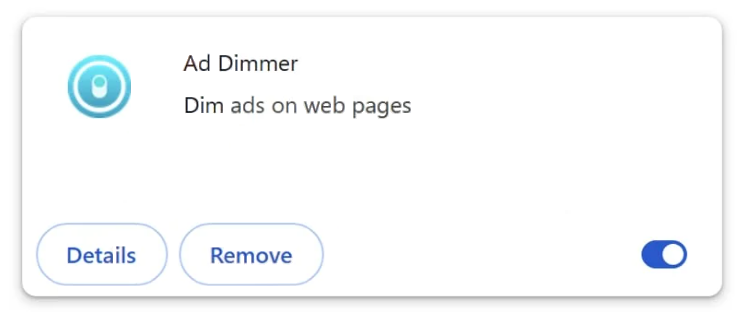
Once active, Ad Dimmer modifies browser behavior. Users may begin seeing banners, pop-up windows, in-text ads, or sponsored boxes that were not originally part of the visited website. These ads can appear on shopping sites, search result pages, and general content platforms. The advertising material is delivered independently of the legitimate site content.
The adware operates by interacting with the browser environment. It can read browsing activity to determine which types of ads to display. This may include search queries, visited pages, and interaction patterns. The collected data is used to generate targeted advertising, increasing the likelihood that the user will click on sponsored content.
In addition to injecting ads, Ad Dimmer can alter search results. Extra promotional links may appear above or within standard search listings. These injected results can lead to third-party sites that are unrelated to the user’s original search. The presence of these additions changes how search results are presented and can reduce the reliability of the browsing experience.
Although Ad Dimmer does not encrypt files or directly steal financial data like more severe malware, its behavior creates privacy concerns. By monitoring browsing activity and altering displayed content, it disrupts normal browser operation. Some of the advertisements it displays may link to unreliable websites that promote additional unwanted programs or misleading offers.
Users affected by Ad Dimmer often notice a sudden increase in advertising, slower page loading times, and changes in how websites appear. These symptoms can develop shortly after installing a free program or browser extension.
How Ad Dimmer installs
Ad Dimmer is commonly distributed through bundled software packages. Free applications downloaded from third-party sites may include additional components during installation. These extra items are sometimes preselected in the setup process. If the user proceeds without reviewing the installation steps carefully, Ad Dimmer can be installed alongside the intended program.
It may also appear as a browser extension that claims to enhance browsing or improve ad management. Once added to the browser, it requests permission to read and change data on visited websites. With this permission, it can inject advertising content and modify search results.
A typical sign of installation is the sudden appearance of new ads across multiple websites, even those that previously displayed minimal advertising. Users may also observe unfamiliar extensions in their browser’s extension list.
To avoid installing Ad Dimmer, users should select custom or advanced installation options when setting up new software. These options allow review of bundled components and provide the opportunity to decline additional offers. Removing checkmarks next to optional items reduces the risk of installing unwanted programs.
Careful selection of browser extensions is also important. Extensions should be installed only when necessary and from reputable sources. Reviewing requested permissions before approving installation helps prevent unwanted modifications to browser behavior.
If Ad Dimmer activity appears after installing new software or an extension, reviewing recently added programs and browser add-ons can help identify the source. By managing installation settings and monitoring browser permissions, users can reduce the likelihood of encountering Ad Dimmer adware.
Remove Ad Dimmer adware
Because adware can be somewhat tricky to remove manually, it’s recommended to use an anti-virus program to remove Ad Dimmer adware from the computer. Once the adware is gone, the additional ads should stop.
Site Disclaimer
2-remove-virus.com is not sponsored, owned, affiliated, or linked to malware developers or distributors that are referenced in this article. The article does not promote or endorse any type of malware. We aim at providing useful information that will help computer users to detect and eliminate the unwanted malicious programs from their computers. This can be done manually by following the instructions presented in the article or automatically by implementing the suggested anti-malware tools.
The article is only meant to be used for educational purposes. If you follow the instructions given in the article, you agree to be contracted by the disclaimer. We do not guarantee that the artcile will present you with a solution that removes the malign threats completely. Malware changes constantly, which is why, in some cases, it may be difficult to clean the computer fully by using only the manual removal instructions.