

The nextgeeker.com redirect is associated with a browser hijacker that interferes with how web searches and pages are handled. Instead of directing queries straight to a chosen search engine, the browser routes them through nextgeeker.com. This behavior is not part of normal browsing and typically indicates that browser settings have been altered without clear user consent.
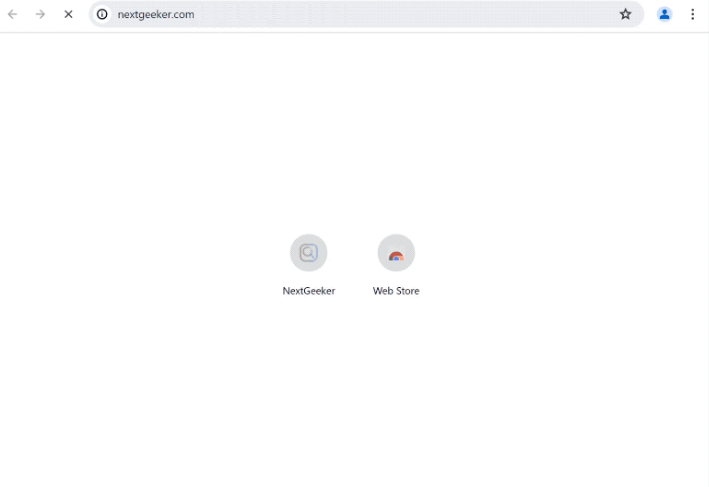
In many cases, nextgeeker.com presents itself as a search service, but it does not function as a genuine search engine. It acts as a fake search provider, forwarding queries to other engines while maintaining control over the process. This allows it to influence what results are shown, often inserting sponsored links or redirecting users to unrelated or low-quality websites.
The impact is often gradual. Initially, users may notice occasional redirects or unfamiliar pages appearing during searches. Over time, these redirects can become consistent, and browser behavior may feel less predictable. In some cases, additional pop-ups or promotional pages may appear, further disrupting normal browsing.
A key characteristic of the nextgeeker.com redirect is that browser settings may not reflect what is actually happening. Even if a preferred search engine is selected, queries can still be routed through nextgeeker.com. This occurs because browser hijackers are designed to override user preferences and maintain control over search behavior.
Another concern is exposure to unreliable content. Redirects linked to nextgeeker.com may lead to pages promoting questionable software, misleading offers, or additional unwanted programs. These pages are often part of a larger chain intended to generate traffic and revenue, rather than provide useful results.
There is also a privacy aspect to consider. Because search queries pass through nextgeeker.com, browsing activity may be tracked or collected. This can include search terms and visited pages, which may then be used for advertising or other purposes outside the user’s control.
How the nextgeeker.com redirect appears and spreads
The nextgeeker.com redirect is typically introduced through bundled software or browser extensions. It is rarely installed deliberately. Instead, it is included as an additional component in free programs downloaded from unofficial sources. These components are often presented as optional, but they may be enabled by default.
Browser extensions are another common source. Some extensions claim to improve browsing, enhance search results, or provide specific tools. In reality, they request permissions that allow them to modify browser settings. Once installed, they can redirect searches through nextgeeker.com.
The installation process often relies on limited user attention. When installation steps are completed quickly using default settings, additional components may be installed without being noticed. This is one of the most common ways browser hijackers are introduced.
A typical sign of infection is a sudden change in search behavior. Searches may be redirected, new tabs may open unexpectedly, or the homepage may change without user input. In some cases, attempts to restore settings do not last, as the hijacker continues to reapply its configuration.
To reduce the risk of encountering redirects like nextgeeker.com, it is important to review installation steps carefully. Choosing advanced or custom installation options allows users to identify and decline additional components. Browser extensions should also be checked before installation, especially if they request broad permissions.
Remove nextgeeker.com redirect
If the redirect is already present, reviewing recently installed programs and extensions can help identify the source. Removing unfamiliar items and resetting browser settings usually stops the redirects and restores normal browsing behavior.
Browser hijackers are not serious infections, but it’s still recommended to use an anti-malware program to remove nextgeeker.com redirect and the associated browser hijacker. Browser settings can be changed as usual as soon as the browser hijacker is no longer present.
Site Disclaimer
2-remove-virus.com is not sponsored, owned, affiliated, or linked to malware developers or distributors that are referenced in this article. The article does not promote or endorse any type of malware. We aim at providing useful information that will help computer users to detect and eliminate the unwanted malicious programs from their computers. This can be done manually by following the instructions presented in the article or automatically by implementing the suggested anti-malware tools.
The article is only meant to be used for educational purposes. If you follow the instructions given in the article, you agree to be contracted by the disclaimer. We do not guarantee that the artcile will present you with a solution that removes the malign threats completely. Malware changes constantly, which is why, in some cases, it may be difficult to clean the computer fully by using only the manual removal instructions.