

QuickLens Search – Screen with Google Lens is a browser extension that interferes with normal browsing activity. It is promoted as a tool that allows users to perform visual searches similar to Google Lens directly from the browser. In reality, the extension introduces unwanted behavior and can modify how search requests are handled.
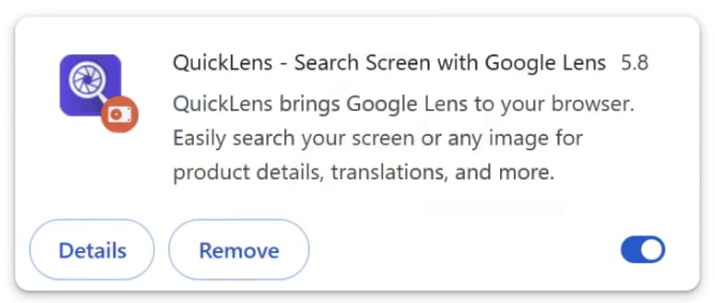
After installation, the extension may gain permission to read and change data on visited websites. These permissions allow it to interact with browser functions such as search settings and page content. Once active, QuickLens Search – Screen with Google Lens can alter the way searches are processed or displayed.
Users may notice changes in search behavior shortly after installing the extension. Searches entered through the browser may be redirected through unfamiliar domains before results appear. The extension can also insert additional sponsored links or promotional results into search pages. These inserted items may lead to websites unrelated to the user’s original search query.
Another concern is the level of access granted to the extension. Because it can read browsing data, it may collect information related to visited websites, search queries, and browsing patterns. Such information can be used to generate targeted advertising or influence which promotional content is displayed.
Extensions with these capabilities can also modify the browser’s new tab behavior or default search configuration. Even if users attempt to restore their preferred settings, the extension may continue applying its own configuration while it remains installed. This persistence can make it difficult to maintain normal browsing behavior.
The extension’s advertised functionality focuses on image search features, but its actual behavior extends beyond visual search tools. Instead of providing a simple shortcut to existing services, QuickLens Search – Screen with Google Lens introduces additional browser control that can disrupt the browsing experience.
How QuickLens Search – Screen with Google Lens gets installed
The QuickLens Search – Screen with Google Lens extension may be installed directly from a browser extension page where it is promoted as a productivity or visual search tool. Descriptions typically highlight features such as quick image recognition, screenshot search, or convenient access to Google Lens functionality.
In other cases, the extension may be introduced through bundled software installations. Free programs downloaded from unofficial sources sometimes include additional browser components during setup. If these components are accepted during installation, the extension can be added to the browser without the user clearly understanding its effects.
Once installed, the extension requests permissions that allow it to modify browser behavior. These permissions can include the ability to change search settings, manage extensions, or read browsing data. Accepting these permissions gives the extension the level of access needed to influence search results and browsing activity.
A common sign of installation is the appearance of the QuickLens Search – Screen with Google Lens extension in the browser’s extension list. Users may also notice changes in search behavior or additional promotional links appearing in search results.
To avoid installing unwanted extensions, users should carefully review the permissions requested by browser add-ons before approving them. Extensions that request control over search settings or browsing data should be evaluated carefully.
Downloading software only from official sources and paying attention during installation can also reduce the risk of bundled extensions being installed automatically. By monitoring installed extensions and reviewing their permissions, users can maintain better control over their browsing environment and avoid unwanted behavior introduced by extensions like QuickLens Search – Screen with Google Lens.
Remove QuickLens – Search Screen with Google Lens browser hijacker
Browser hijackers can be tricky to get rid of manually, and using an anti-virus program is recommended to remove QuickLens – Search Screen with Google Lens browser hijacker from the device. Once the hijacker is no longer present, changing a browser’s settings will be possible again.
Site Disclaimer
2-remove-virus.com is not sponsored, owned, affiliated, or linked to malware developers or distributors that are referenced in this article. The article does not promote or endorse any type of malware. We aim at providing useful information that will help computer users to detect and eliminate the unwanted malicious programs from their computers. This can be done manually by following the instructions presented in the article or automatically by implementing the suggested anti-malware tools.
The article is only meant to be used for educational purposes. If you follow the instructions given in the article, you agree to be contracted by the disclaimer. We do not guarantee that the artcile will present you with a solution that removes the malign threats completely. Malware changes constantly, which is why, in some cases, it may be difficult to clean the computer fully by using only the manual removal instructions.