

Serpey Search is a browser hijacker that interferes with how searches are handled in a web browser. Once active, it redirects search queries through search.serpey.com instead of sending them directly to the selected search engine. This change happens in the background, so even if the browser settings appear normal, the actual search process is being altered.
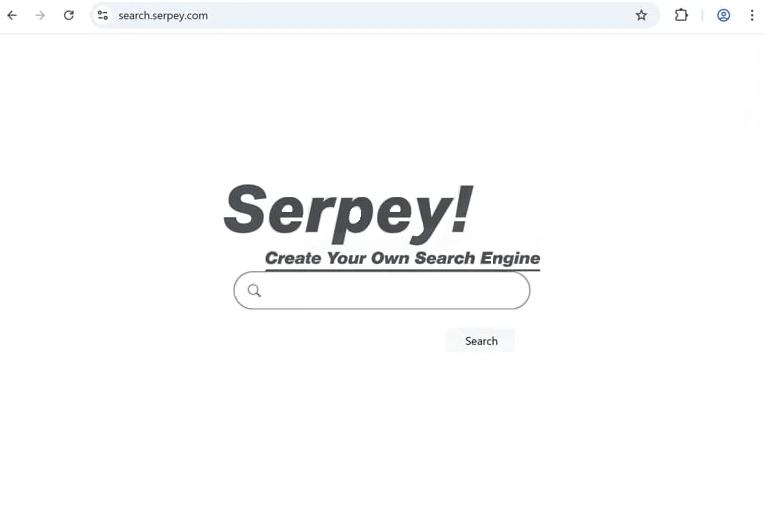
At first, the behavior can be subtle. You might notice that a search briefly loads search.serpey.com before showing results. Over time, the redirects can become more consistent. Searches may no longer behave as expected, and new tabs or pages might open without a clear reason.
Serpey Search does not function as a real search engine. It acts as an intermediary that forwards queries to other providers while controlling the routing process. Because it sits between the user and the final results, it can influence what is displayed. This may include adding sponsored links, promoting certain pages, or redirecting users to unrelated websites.
These redirects can lead to content that is not always reliable. Some pages may promote downloads, questionable services, or other browser extensions. Even if the results look similar to a normal search engine, the path taken to reach them has been modified.
Another issue is how search data is handled. When queries pass through search.serpey.com, they are processed by a third party before reaching the final destination. Search terms can include personal or sensitive information, and routing them through an additional domain increases exposure.
Users may also notice that browser settings do not stay changed. Attempts to switch back to a preferred search engine or homepage may not last. This happens because the hijacker continues to enforce its own configuration in the background.
How Serpey Search gets installed and how to avoid it
Serpey Search is usually installed without a clear intent. It is often bundled with free software downloaded from unofficial sources. During installation, additional components may be included as optional offers. If these are not reviewed carefully, they can be installed alongside the main program.
Browser extensions are another common source. Some extensions are promoted as tools for improving search, shopping, or browsing. They may request permission to manage search settings, which allows them to redirect queries through search.serpey.com once installed.
Installation screens often make these additions easy to miss. Options may already be selected, and users who proceed quickly may not notice them. This is one of the main ways browser hijackers end up on a system.
To avoid this, it is important to review the installation steps carefully. Choosing custom or advanced installation options makes it easier to see what is being added. Any option related to changing search settings or adding browser tools should be checked before continuing.
Extensions should also be installed with caution. Reviewing permissions before adding them can help identify whether they intend to control browsing behavior. Extensions that request broad access to websites or search settings should be considered carefully.
Remove Serpey Search browser hijacker
If Serpey Search is already active, checking the list of installed extensions and recently added programs can help identify the source. Removing unfamiliar components and resetting browser settings can restore normal search behavior and stop redirects through search.serpey.com.
To make Serpey Search browser hijacker removal easier, it’s recommended to use an anti-virus program. Once the hijacker has been removed, the browser should return to normal.
Site Disclaimer
2-remove-virus.com is not sponsored, owned, affiliated, or linked to malware developers or distributors that are referenced in this article. The article does not promote or endorse any type of malware. We aim at providing useful information that will help computer users to detect and eliminate the unwanted malicious programs from their computers. This can be done manually by following the instructions presented in the article or automatically by implementing the suggested anti-malware tools.
The article is only meant to be used for educational purposes. If you follow the instructions given in the article, you agree to be contracted by the disclaimer. We do not guarantee that the artcile will present you with a solution that removes the malign threats completely. Malware changes constantly, which is why, in some cases, it may be difficult to clean the computer fully by using only the manual removal instructions.