

The “Web App Security” scam is a phishing email that presents itself as a technical notice related to account protection. It usually claims that a security update, system check, or configuration change is required to keep the recipient’s account active. The message is written to appear like a routine maintenance alert rather than an obvious warning.
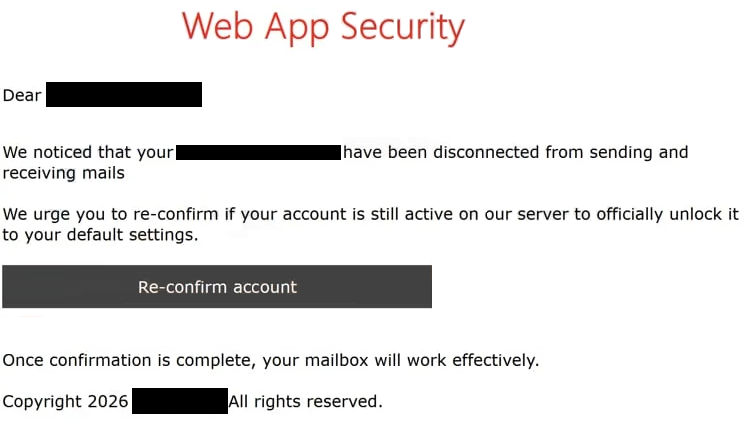
Instead of explaining what triggered the notice, the email moves quickly to a required action. It instructs the recipient to complete a security step through a provided link. The explanation is kept vague, without details about specific activity, login attempts, or system changes. This makes the request difficult to verify.
Clicking the link opens a page that imitates a login or verification screen. The layout may resemble a standard webmail or account portal, but it does not display any real account data. There are no settings, logs, or update details available. The only function of the page is to request login credentials.
Entering those credentials does not complete any security process. The information is sent to the scammers, and the page may then display a generic confirmation or redirect to a legitimate site. This creates the impression that the update or verification was successful.
The security notice itself is not based on real system activity. It is a generic message designed to encourage interaction. By presenting the request as a routine update, the scam reduces suspicion and increases the likelihood that the recipient will follow the link.
If attackers obtain valid login details, they can attempt to access the account and any connected services. This may expose personal data, stored messages, and other sensitive information.
The full “Web App Security” phishing email is below:
Subject: Email Service Interruption Notification on –
– Web App Security
Dear -,
We noticed that your – have been disconnected from sending and receiving mails
We urge you to re-confirm if your account is still active on our server to officially unlock it to your default settings.
Re-confirm account
Once confirmation is complete, your mailbox will work effectively.
Copyright 2026 – All rights reserved.
How to recognize phishing emails like “Web App Security”
Phishing emails that use general technical themes like “Web App Security” often rely on vague descriptions. They refer to updates or security checks, but do not provide specific information that can be verified. Legitimate service notifications typically include details that allow users to confirm the issue.
Another important sign is the use of a direct link for account verification. Instead of directing users to access their account through the official website, the email includes a link that leads to a login page on an unrelated domain.
The sender address may also appear inconsistent. While the display name may suggest a system or support team, the actual email address often belongs to a different domain. This mismatch indicates that the email is not genuine.
The message is usually not personalized. It does not include the recipient’s name or account-specific details, making it suitable for distribution to a large number of users.
The wording is designed to prompt action without raising immediate suspicion. By presenting the request as a routine security step, the email encourages the recipient to complete it quickly without verifying the source.
Recognizing these characteristics can help identify phishing emails before interacting with them. Emails that combine vague technical claims, external login links, and inconsistent sender details should be treated with caution.
Site Disclaimer
2-remove-virus.com is not sponsored, owned, affiliated, or linked to malware developers or distributors that are referenced in this article. The article does not promote or endorse any type of malware. We aim at providing useful information that will help computer users to detect and eliminate the unwanted malicious programs from their computers. This can be done manually by following the instructions presented in the article or automatically by implementing the suggested anti-malware tools.
The article is only meant to be used for educational purposes. If you follow the instructions given in the article, you agree to be contracted by the disclaimer. We do not guarantee that the artcile will present you with a solution that removes the malign threats completely. Malware changes constantly, which is why, in some cases, it may be difficult to clean the computer fully by using only the manual removal instructions.