

The webnavigatorhub.com redirect is associated with a browser hijacker that interferes with normal search behavior. After this component is installed, search queries entered into the browser’s address bar are routed through webnavigatorhub.com before the final results page appears. Users may briefly see the domain load in the address bar during this process. This routing does not occur as part of standard browser functionality and is not linked to a search engine deliberately selected by the user.
webnavigatorhub.com does not function as a full search engine with its own independent index. Instead, it acts as an intermediary that forwards queries to another search provider. By placing itself between the browser and the final results page, it gains control over how search traffic is processed. This control allows it to influence displayed content, which can include the insertion of sponsored links or adjustments to search rankings.
The redirect typically becomes noticeable when users realize that their preferred search engine has been replaced. Even if browser settings show a familiar search provider, queries may still pass through webnavigatorhub.com. This persistence indicates that a browser extension or bundled component is enforcing the change. Manual attempts to restore original settings may not succeed while the hijacker remains active.
Search traffic routed through webnavigatorhub.com can expose information about browsing habits. Search queries often contain personal, financial, or professional topics. By intercepting these queries, the operators behind the redirect gain access to data about user interests and activity. While the redirect may not directly steal login credentials, it introduces privacy concerns by collecting search-related information outside the user’s intended search environment.
In addition to modifying search routing, the hijacker may affect new tab behavior. Opening a new tab can trigger a search page associated with webnavigatorhub.com rather than the default browser page. This reinforces the redirect and ensures continued traffic flow through the domain.
The impact of the webnavigatorhub.com redirect is primarily related to browser control and data exposure. It does not encrypt files or disable system functions. Instead, it alters how search activity is handled and influences the content presented to the user. The visible symptom is consistent redirection through the webnavigatorhub.com domain during searches.
How webnavigatorhub.com installs and how to prevent it
The webnavigatorhub.com redirect is commonly introduced through browser extensions or bundled software installations. Free programs downloaded from third-party websites may include optional components that modify browser settings. During installation, these additions can be preselected. If the user proceeds with default setup options without reviewing the details, the hijacker may be installed alongside the intended program.
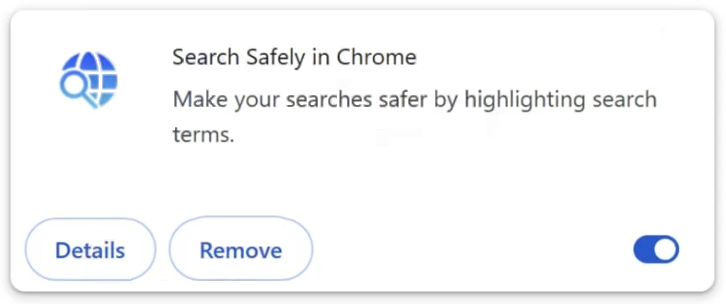
Browser extensions that claim to enhance search performance, provide quick access features, or improve browsing efficiency can also introduce this redirect. Once installed, such extensions request permission to manage search settings. Granting these permissions allows the extension to assign webnavigatorhub.com as the routing domain for search queries.
A typical sign of installation is an unexpected change in the browser’s search configuration. The default search provider may appear different, or webnavigatorhub.com may show up in the list of available search engines. Even if users manually change the default back to a trusted provider, the redirect can continue if the responsible extension remains active.
Preventing installation requires careful attention during software setup. Selecting custom or advanced installation modes allows users to review optional components and decline additional offers. Removing checkmarks next to search related add ons reduces the likelihood of installing unwanted browser modifications.
Managing browser extensions carefully is also important. Before installing any extension, users should review its permissions and purpose. Extensions requesting control over search settings or browsing configuration should be evaluated closely. Installing only necessary extensions from reputable sources lowers the risk of encountering redirects like webnavigatorhub.com.
If the redirect appears after installing new software or an extension, reviewing recently added components can help identify the source. Removing unfamiliar or suspicious extensions from the browser can stop the redirect behavior. By monitoring installation choices and controlling browser permissions, users reduce the likelihood of encountering the webnavigatorhub.com redirect and regain control over their search experience.
Remove webnavigatorhub.com redirect
The webnavigatorhub.com redirect is associated with a browser hijacker, and it’s strongly recommended to use an anti-virus program to deal with it. Once the hijacker is gone, a browser’s settings can be changed as usual.
Site Disclaimer
2-remove-virus.com is not sponsored, owned, affiliated, or linked to malware developers or distributors that are referenced in this article. The article does not promote or endorse any type of malware. We aim at providing useful information that will help computer users to detect and eliminate the unwanted malicious programs from their computers. This can be done manually by following the instructions presented in the article or automatically by implementing the suggested anti-malware tools.
The article is only meant to be used for educational purposes. If you follow the instructions given in the article, you agree to be contracted by the disclaimer. We do not guarantee that the artcile will present you with a solution that removes the malign threats completely. Malware changes constantly, which is why, in some cases, it may be difficult to clean the computer fully by using only the manual removal instructions.