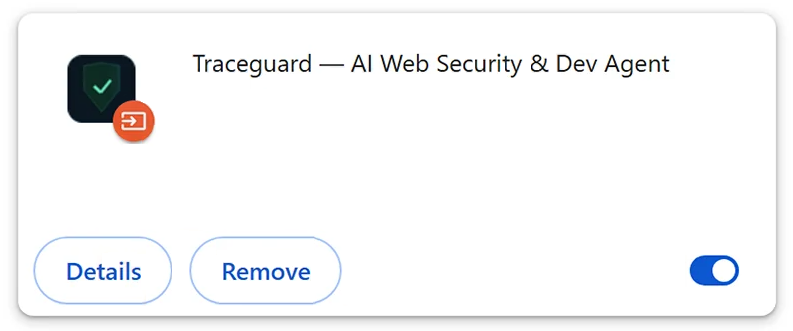
Traceguard – AI Web Security & Dev Agent is a malicious Google Chrome extension designed to manipulate online banking transactions and steal authentication codes. Although its name suggests an AI-powered browsing security and development tool, its actual functionality focuses on financial theft. The extension operates inside the browser, allowing it to interfere with banking websites while users are conducting legitimate transactions.
One of Traceguard’s primary capabilities is modifying bank transfer information. When a user enters a recipient’s IBAN and payment amount, the extension can replace those values before the transaction request reaches the bank. It then restores the original information displayed in the browser, potentially leaving the victim unaware that the submitted payment details have changed.
Traceguard can also initiate unauthorized SEPA and SEPA Instant transfers through an active online banking session. Because these transactions originate from the victim’s authenticated session, they may appear to the banking service as legitimate user activity. SEPA Instant transfers are particularly concerning because they can be completed within seconds, making unauthorized payments difficult to reverse.
Another feature involves displaying fake transaction authorization number (TAN) prompts. These prompts imitate verification requests normally presented by banking websites and are designed to capture one-time authentication codes. The stolen codes can then be used by attackers to authorize transactions.
The extension is associated with a control panel containing configurations for 1,249 banking websites across seven European Union countries. Its operators can adjust which banking services are targeted without modifying the extension itself. This enables the same malicious software to interfere with transactions across numerous financial institutions.
Unlike ordinary Chrome extensions, Traceguard is not installed through the Chrome Web Store. It is deployed using a Windows executable named ATS_Installer.exe, which modifies browser shortcuts and forces Chrome to load the extension from a local directory. The installer also establishes persistence mechanisms that allow the malicious components to remain active after the computer restarts.
Traceguard poses a direct financial threat because it combines transaction manipulation, unauthorized payment initiation, and authentication code theft. Its ability to conceal altered transfer details makes the activity particularly difficult for affected users to recognize during routine online banking.
How does Traceguard – AI Web Security & Dev Agent get installed?
Traceguard is installed through a Windows executable named ATS_Installer.exe rather than a conventional browser extension installation process. Once executed, the installer copies its components into a directory named ChromeExtensionHost and prepares the system to load the malicious extension automatically. The installation does not require the user to approve an extension through the Chrome Web Store.
The installer modifies Google Chrome shortcuts by adding the –load-extension command-line argument. This causes Chrome to load Traceguard directly from a local folder whenever the browser starts using the modified shortcut. During installation, the program can close existing browser windows and relaunch Chrome with the extension activated.
Additional persistence mechanisms are created through Windows Registry Run entries, scheduled tasks, and a watchdog process. These components are intended to keep the malicious software running and restart it if its processes are interrupted. Consequently, the extension may reappear when Chrome is launched again, even if its visible browser entry has been removed.
The exact initial distribution channel for the identified Traceguard installer has not been established. However, malicious Windows installers are commonly distributed through deceptive software download pages, unofficial repositories, and bundled installation packages. They may also be disguised as useful utilities, software updates, or cracked applications.
Phishing emails and misleading advertisements are other possible delivery methods for malicious executable files. Such campaigns may persuade users to download and run software under the impression that they are installing a legitimate application. These are general malware distribution techniques, not independently confirmed delivery channels for this specific Traceguard campaign.
The distinguishing characteristic of Traceguard’s installation process is its reliance on a Windows executable to control Chrome’s startup behavior. By modifying shortcuts and establishing system-level persistence, the installer can load the malicious extension without relying on the browser’s normal extension installation mechanism.
Remove Traceguard – AI Web Security & Dev Agent malicious extension
It’s necessary to remove Traceguard – AI Web Security & Dev Agent malicious extension immediately, and using an anti-malware program is strongly recommended.
Offers
Download Removal Toolto scan for Traceguard - AI Web Security & Dev AgentUse our recommended removal tool to scan for Traceguard - AI Web Security & Dev Agent. Trial version of provides detection of computer threats like Traceguard - AI Web Security & Dev Agent and assists in its removal for FREE. You can delete detected registry entries, files and processes yourself or purchase a full version.
More information about SpyWarrior and Uninstall Instructions. Please review SpyWarrior EULA and Privacy Policy. SpyWarrior scanner is free. If it detects a malware, purchase its full version to remove it.
WiperSoft Review Details WiperSoft (www.wipersoft.com) is a security tool that provides real-time security from potential threats. Nowadays, many users tend to download free software from the Intern ...
Download|moreIs MacKeeper a virus? MacKeeper is not a virus, nor is it a scam. While there are various opinions about the program on the Internet, a lot of the people who so notoriously hate the program have neve ...
Download|moreWhile the creators of MalwareBytes anti-malware have not been in this business for long time, they make up for it with their enthusiastic approach. Statistic from such websites like CNET shows that th ...
Download|more
Site Disclaimer
2-remove-virus.com is not sponsored, owned, affiliated, or linked to malware developers or distributors that are referenced in this article. The article does not promote or endorse any type of malware. We aim at providing useful information that will help computer users to detect and eliminate the unwanted malicious programs from their computers. This can be done manually by following the instructions presented in the article or automatically by implementing the suggested anti-malware tools.
The article is only meant to be used for educational purposes. If you follow the instructions given in the article, you agree to be contracted by the disclaimer. We do not guarantee that the artcile will present you with a solution that removes the malign threats completely. Malware changes constantly, which is why, in some cases, it may be difficult to clean the computer fully by using only the manual removal instructions.