If you’re using a Windows PC, you’re already running an antivirus solution. Microsoft’s built-in protection, Microsoft Defender (formerly known as Windows Defender), is included free with Windows 10 and 11, and offers a baseline level of security that many users rely on. But in a world where cyber-threats evolve constantly, from zero-day exploits and ransomware to phishing attacks and advanced browser-based scams, the question remains: Is it truly enough?
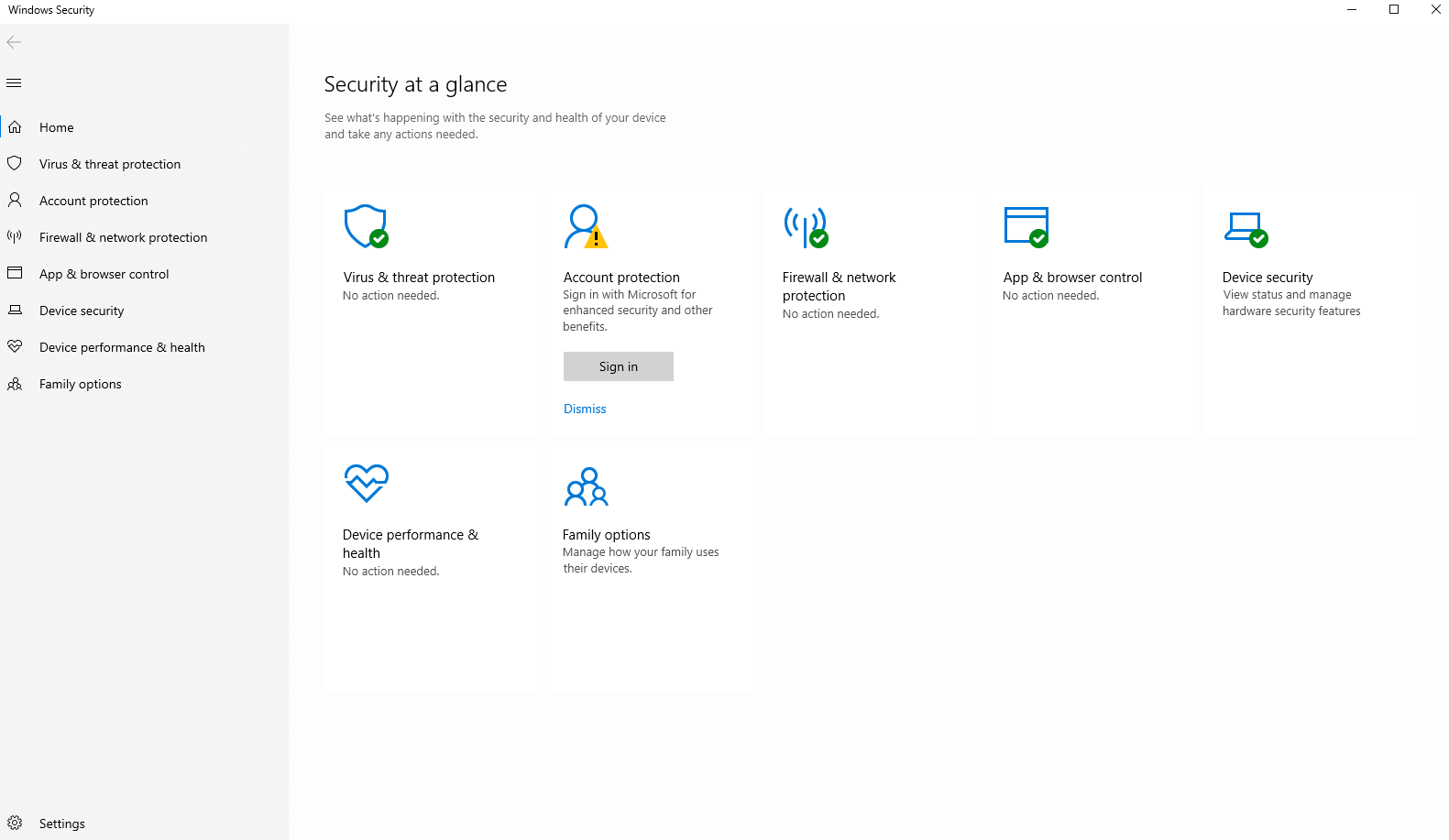
Microsoft Defender is a solid anti-virus tool
It should first be acknowledged that Microsoft Defender is a solid security program. It has improved dramatically over recent years and now offers many of the core protections you’d expect from a modern antivirus. According to independent testing labs, its malware-detection ratings are excellent.
Here are some of the major features and benefits:
- Real-time protection: Defender continuously monitors your system for malicious software, blocking threats as they arise.
- Firewall & SmartScreen: It includes a built-in firewall and Microsoft’s SmartScreen filter, which warns you when you’re about to download or run a potentially malicious app or browse a risky site.
- Automatic updates and offline scans: Defender is integrated into Windows, so it receives timely definition updates and can run scans even when your internet connection is down.
- Minimal system impact: Because it’s built into the operating system, it tends to use fewer system resources than many third-party suites and generally runs quietly in the background.
For many everyday users who mainly browse the web, stream media, do office work, and avoid sketchy sites and downloads, Microsoft Defender offers a very solid foundation.
Where Microsoft Defender could improve
Despite these strengths, Defender is not a one-stop solution for every security need. There are clear limitations, particularly as threats become more sophisticated and multi-vector. Here are some of the key weak points:
- Phishing protection: Defender’s anti-phishing features are considered underwhelming compared with dedicated third-party tools.
- Limited browser support: Some of Microsoft’s web-protection features work best when you use Microsoft Edge. If you rely on other browsers (Chrome, Firefox, Brave, etc.), protection may be less robust.
- Missing advanced tools: Defender lacks bundled extras that many premium security suites offer, such as a built-in VPN, password manager, webcam/microphone protection, parental controls, and dark-web monitoring.
- Customization and user control: Compared with many paid antivirus suites, Defender offers fewer configuration options and less visibility into detailed protection reports.
- Higher-risk scenarios: In environments where you handle highly sensitive data (financial records, intellectual property, business networks) or you connect regularly to untrusted networks, the baseline protections may not be enough. Analyst commentary and independent tests suggest that while Defender catches a large percentage of threats, it may lag behind top-tier competitors when facing targeted attacks or very new malware.
So, when is Microsoft Defender enough?
The decision to rely solely on Microsoft Defender depends largely on your risk profile and online behaviour.
Good scenarios for sticking with Defender
If your usage profile is relatively low risk, basic web browsing, email, streaming, productivity software, and you practice safe online habits (e.g., avoiding suspicious downloads, being cautious with links, keeping software up to date), then Defender may well suffice.
Scenarios where you may want more
If you’re in a higher-risk category (e.g., running a business, handling sensitive or regulated data, frequent traveller using public WiFi, heavy downloader of software or torrents), then you may want a full security suite. The gaps we mentioned above (e.g., phishing protection, cross-browser support, and advanced tools) matter more in these situations.
How to Get the Most Out of Microsoft Defender
If you choose to rely on Microsoft Defender as your primary (or only) security layer, you can still bolster your protection by tuning a few settings and practising strong security hygiene. Here are the recommended steps:
- Open Windows Security → Virus & Threat Protection. Ensure Real-time protection, Cloud-delivered protection, Automatic sample submission, and Tamper protection are all enabled.
- In App & Browser Control, enable SmartScreen or reputation-based protection to guard against malicious downloads and websites.
- Consider using Microsoft Edge as your browser to fully leverage Defender’s built-in web-protection features.
- Enable Controlled folder access (under Ransomware protection) so that untrusted apps cannot modify key files or folders.
- Continuously install all Windows updates as soon as they’re available—and update other software you run. Outdated apps are common vectors for malware.
We also recommend developing healthy browsing habits so that Microsoft Defender does not have much to defend you against.
- Use strong, unique passwords and two-factor authentication (2FA) wherever possible.
- Avoid downloading software from untrusted websites.
- Be cautious with email attachments and links.
- Use a pop-up blocker and an ad-blocker in your browser.
- Regularly back up important data.
Is Microsoft Defender enough in 2025?
It depends. For the average home user with moderate risk exposure, good online habits, and only a Windows PC (or a few devices), Microsoft Defender offers excellent, built-in protection. You don’t need to pay for another antivirus just to achieve a baseline level of security.
However, if you want broader protection across multiple vectors, devices, operating systems, or use your PC for higher-stakes tasks, then relying solely on Defender may leave gaps. In those cases, combining Defender with additional tools (password manager, VPN, secure browser extensions) or switching to a full security suite might make sense.
In other words, Defender is a very good starting point. It is not a weakness in itself, but it’s not the final word in cybersecurity either. Think of it as a strong foundation, and whether you need to build further depends on your situation. Regardless of any tool, your own behaviour (updates, safe browsing habits, backups, vigilance) plays the most significant role in keeping your system secure.
Offers
Download Removal Toolto scan for Is Windows Defender Enough in 2025? A Closer Look at Microsoft’s Built-in ProtectionUse our recommended removal tool to scan for Is Windows Defender Enough in 2025? A Closer Look at Microsoft’s Built-in Protection. Trial version of provides detection of computer threats like Is Windows Defender Enough in 2025? A Closer Look at Microsoft’s Built-in Protection and assists in its removal for FREE. You can delete detected registry entries, files and processes yourself or purchase a full version.
More information about SpyWarrior and Uninstall Instructions. Please review SpyWarrior EULA and Privacy Policy. SpyWarrior scanner is free. If it detects a malware, purchase its full version to remove it.

WiperSoft Review Details WiperSoft (www.wipersoft.com) is a security tool that provides real-time security from potential threats. Nowadays, many users tend to download free software from the Intern ...
Download|moreIs MacKeeper a virus? MacKeeper is not a virus, nor is it a scam. While there are various opinions about the program on the Internet, a lot of the people who so notoriously hate the program have neve ...
Download|moreWhile the creators of MalwareBytes anti-malware have not been in this business for long time, they make up for it with their enthusiastic approach. Statistic from such websites like CNET shows that th ...
Download|more